
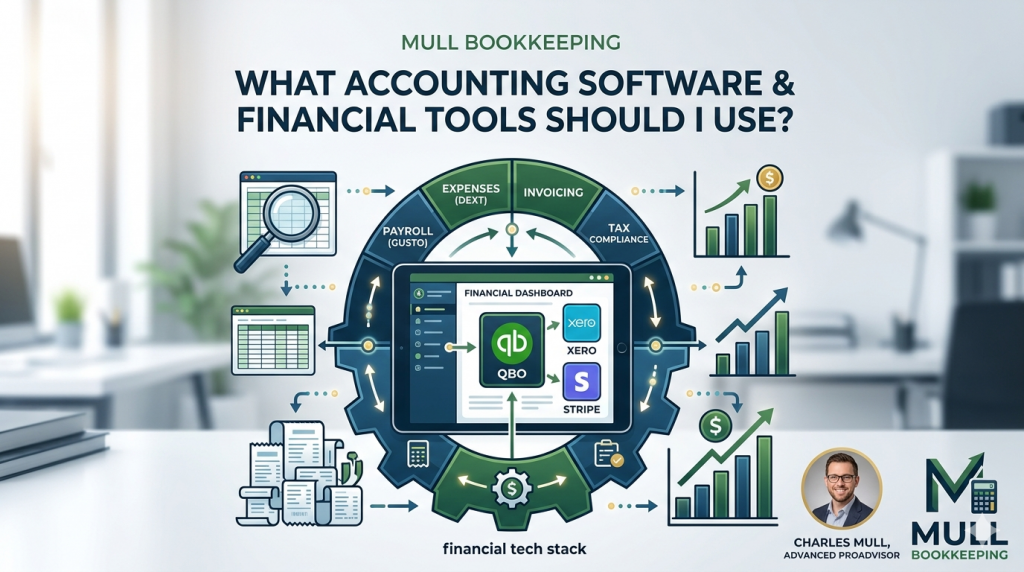
One of the most frequent questions we get from business owners at Mull Bookkeeping is: “What accounting software or financial tools should I actually be using?”
With hundreds of apps claiming they can automate your business, it is incredibly easy to feel overwhelmed. Some software options are too basic, leaving you stuck doing manual calculations. Others are so complex that you need a degree just to navigate the dashboard.
Choosing the right financial toolkit isn’t about picking the glitzieset app on the market; it’s about finding the software that matches your industry, your business size, and your growth goals. Here is a breakdown of the top accounting tools we recommend to help keep your business organized, compliant, and highly profitable.
1. The Core Accounting Software (The Foundation)
Your core accounting software is the central brain of your financial operation. It tracks income, logs expenses, and generates critical financial statements like your Profit & Loss.
- QuickBooks Online (QBO):
- Best For: The vast majority of growing small businesses, service providers, and multi-member LLCs.
- Why We Recommend It: QuickBooks is the undisputed industry standard for a reason. Because it is so widely used, it integrates with almost every business app, bank, and payment processor in existence.
- Pro Tip: As a QuickBooks Advanced ProAdvisor with over 10 years of accounting experience, our founder, Charles, always reminds clients: QBO is incredibly powerful, but only if it’s set up correctly from day one.
- Xero:
- Best For: Tech-savvy business owners, e-commerce brands, and businesses that need seamless inventory tracking.
- Why We Recommend It: Xero is a beautiful, intuitive alternative to QuickBooks. It features a clean user interface and handles multi-currency transactions very smoothly if you do business internationally.
- FreshBooks or Wave:
- Best For: Solo freelancers, independent contractors, or brand-new side hustles with very basic transactions.
- Why We Recommend It: If you just need to send basic invoices and track simple expenses without advanced accounting features, Wave offers an excellent, cost-effective starting point.
2. Invoicing & Payment Processing (Getting Paid Faster)
If your core accounting software doesn’t handle your specific client billing needs, you need a dedicated payment processor that talks directly to your books.
- Stripe: The gold standard for e-commerce, digital products, and recurring SaaS subscriptions. It integrates flawlessly with QuickBooks and Xero, ensuring your sales data maps over cleanly.
- Melio: An incredible tool for B2B businesses. It allows you to pay your business bills online via bank transfer (ACH) for free, or via credit card (even if your vendor doesn’t accept cards) to hold onto your cash longer.
3. Expense Tracking & Receipt Management (No More Shoeboxes)
The days of saving paper receipts in a physical folder are long gone. The IRS accepts digital receipts, provided they are legible and clearly show the date, vendor, and amount.
- Dext (formerly Receipt Bank) or Hubdoc: These tools act as a bridge to your accounting software. You simply snap a photo of a receipt or forward a digital invoice email, and the AI automatically extracts the supplier, date, and amount, attaching the proof directly to the transaction in QuickBooks.
- Expensify: If you have team members or employees who travel and need to submit monthly expense reports for reimbursement, Expensify streamlines the entire approval workflow.
4. Payroll Services (Keeping the Team Content and Compliant)
If your LLC has employees or if you have elected S-Corp tax status and are required to pay yourself a W-2 salary, manual payroll is a massive legal compliance risk.
- Gusto: Our top recommendation for small businesses. Gusto automates local, state, and federal payroll tax filings, handles new hire reporting, tracks time off, and can even manage employee health benefits and 401(k) plans. It syncs beautifully with QuickBooks Online to make your payroll bookkeeping effortless.
- QuickBooks Payroll: If you prefer to keep absolutely everything under a single login, QuickBooks’ built-in payroll module is a solid, convenient alternative.
🧮 The Most Critical Tool in Your Kit: A Professional Bookkeeper
The best accounting software in the world is only as good as the data being put into it. If your transactions are categorized incorrectly, your automated software will simply generate automated errors—which can lead to overpaying on your taxes or missing red flags in your cash flow.
At Mull Bookkeeping, we help small businesses keep an average of $7,200 more in profit every single year. We don’t just hand you a software login; we take the entire burden of transaction tracking, receipt matching, and financial statement preparation completely off your plate.
We tailor our approach to your unique business needs so you have accurate, tax-ready financial dashboards whenever you need them.